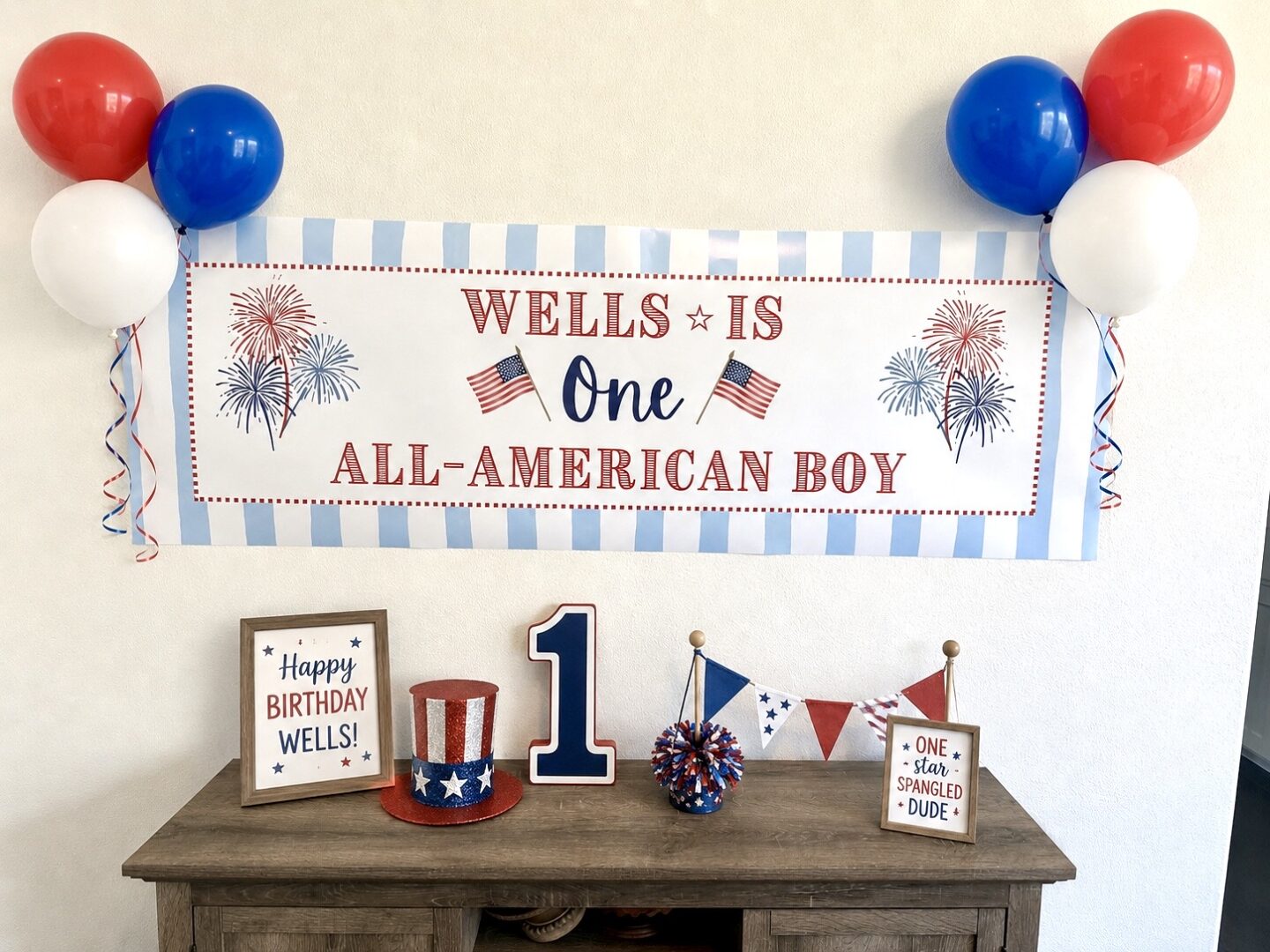
One of the most affordable way to make a statement at your next celebration is by creating a CVS banner! These CVS banners are perfect for birthdays, holidays, showers, graduations, and all the celebrations in between. I made this for under $20 with the current promo code. Follow along for a tutorial for making a CVS banner!
Tutorial for Making a CVS Banner
1.) Open Canva and create a blank document with 72″ width and 24″ height.
2.) Decorate your banner and get creative. If you want it to look like Kraft paper, search “banner” in elements and use that as your background. I did a stripe background for this. I like to keep everything under the same color palette.
3.) Export as PNG and bump up the Size to 2.5 (17,280 x 5,760 px). CVS has a limit on file size and may not allow anything larger when trying to upload.
4.) Select this exact banner on CVS website. Use options: indoor, 2’x6′. Select “Create Now” and upload your file.
5.) In checkout, enter a promo code for discount. At the time of publishing this, their current promo code is MAY40 for 40% off.
And that’s all!!! Have fun and let me know what you make!
If you want to see how I made this exact banner, I uploaded it to my Instagram. I tried to keep it under 60 seconds so I talk fast, but you can save it for future use:
Live your life joyfully so,
Ashley
Thank you to CVS for partnering. All opinions are my own!